
Addictive Modular Clicker: Snap-Together Fidget P3
Peso
75g
Tiempo
3h 26m
Precio
Pregunta por WhatsApp por este modelo o uno similar
Te ayudamos a conseguir este diseño o uno parecido, con precio según color y acabado
Las dimensiones dependen del diseño. Confirmamos las medidas exactas por WhatsApp.
Este diseño es de su creador en MakerWorld y se muestra solo como referencia. Tecnoprints no es dueño del modelo ni de su licencia.
Descripción
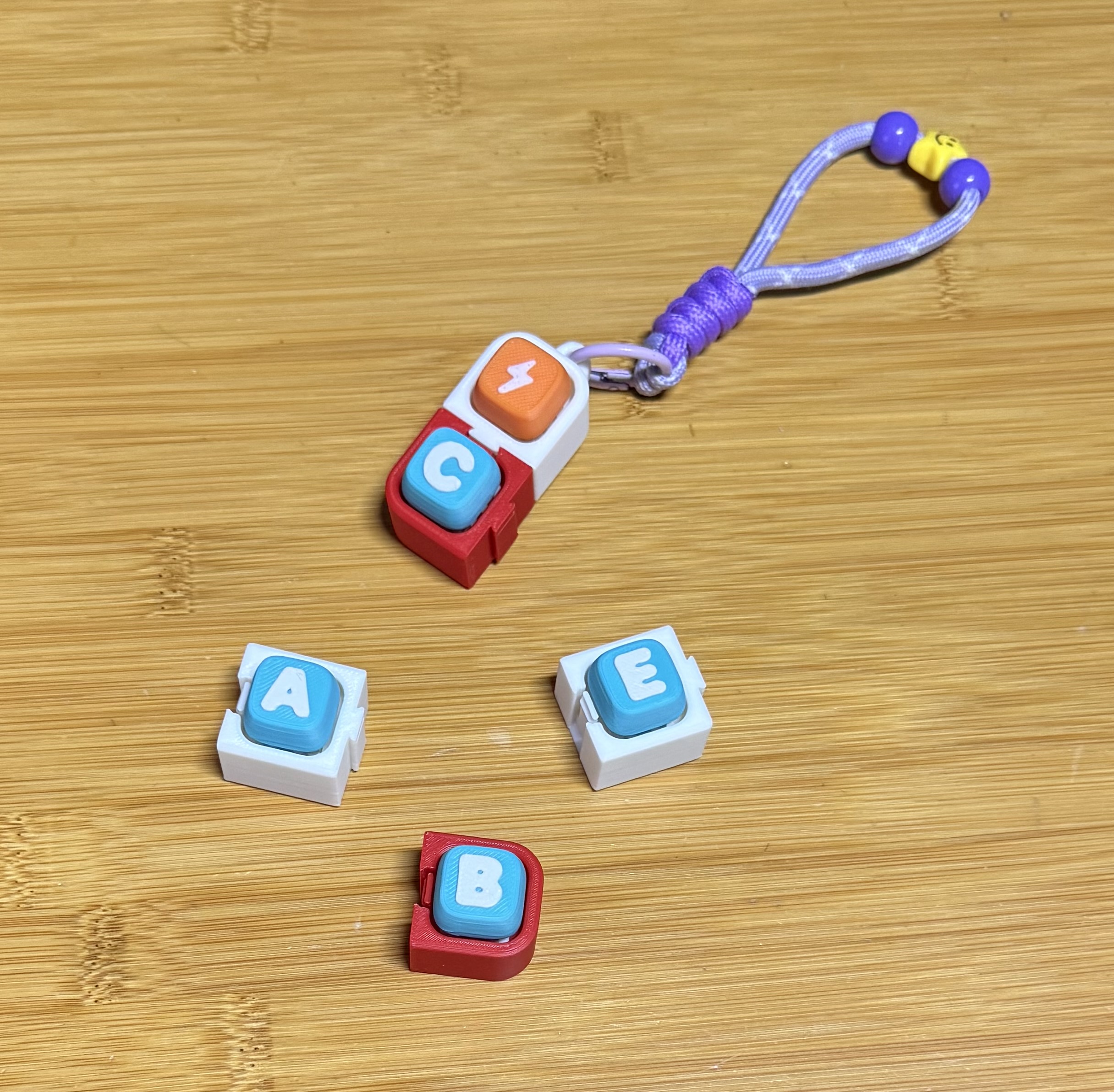
Boost MeThank you !! Build your own clicker pattern, one piece at a time. ZakoJ Clicker Modular is a system of rounded, kid-friendly housings for standard 14×14 mm mechanical keyboard switches. Snap two pieces together or build a 2×2 block, a long line, or a keyring clicker. The switch sits hidden at idle, so you get the clack without the clutter. Each piece joins its neighbour with a soft-edged dovetail and a spring-finger locking hook that clicks into place and stays put. No glue, no screws and no supports. You can even print this for your young children learning phase of the alphabet ! Key Features Click-to-lock joints: a spring-finger hook seats with an audible click and holds firmly, so pieces don’t slide apart. Rounded, child-friendly edges: the dovetail is softened so there are no sharp corners. Hidden switch: the switch sits below the rim and a 45° shelf guides it in, so you don’t see it until you press. Three tolerances: Snug, Tight (the tested default) and Extra Tight, to suit your printer. Compact: 25 mm pitch and 17 mm tall. Print Settings & Recommendations SettingRecommendationMaterialPLALayer height0.2 mmSupportsNoneWalls2-3Infill15–20%OrientationPrint as exported, flat side down (the bowtie is exported top-down)Slicer testedBambu StudioStart with Tight. It’s the fit I tested. Use Snug if your printer is a bit over-sized, and Extra Tight if your prints come out loose. Use the same fit across a whole build. Mixing fits changes how loose the joints feel. Test a joint first. Print two pieces to check the fit before you commit to a full set. Switches are not included. You need standard 14×14 mm mechanical switches, with their snap clips pressed in from the top. Assembly / Usage Instructions Press a switch into each housing. Place two corner pieces side by side. Drop a bowtie key into the seam from above and press until it clicks. Add the remaining corners and drop a bowtie key into each seam. The 2×2 is done. For a line, drop the line-middle onto the line-start tail, then the line-end onto the middle. For a keyring, drop the keyring tail into any open slot. Cover any unused slot with a wall plug. An illustrated, wordless assembly manual is included. Licensing Personal use only: free to print for yourself. This model is strictly for personal use. You are welcome to print it for yourself, your family and your friends as gifts. Not allowed: Selling the physical prints Any commercial use Redistributing, re-uploading or sharing the files If you want to sell physical prints of this design, you must subscribe to my commercial membership: MembershipSubscribe !
Tags
Diseñador
ZakoJaz