
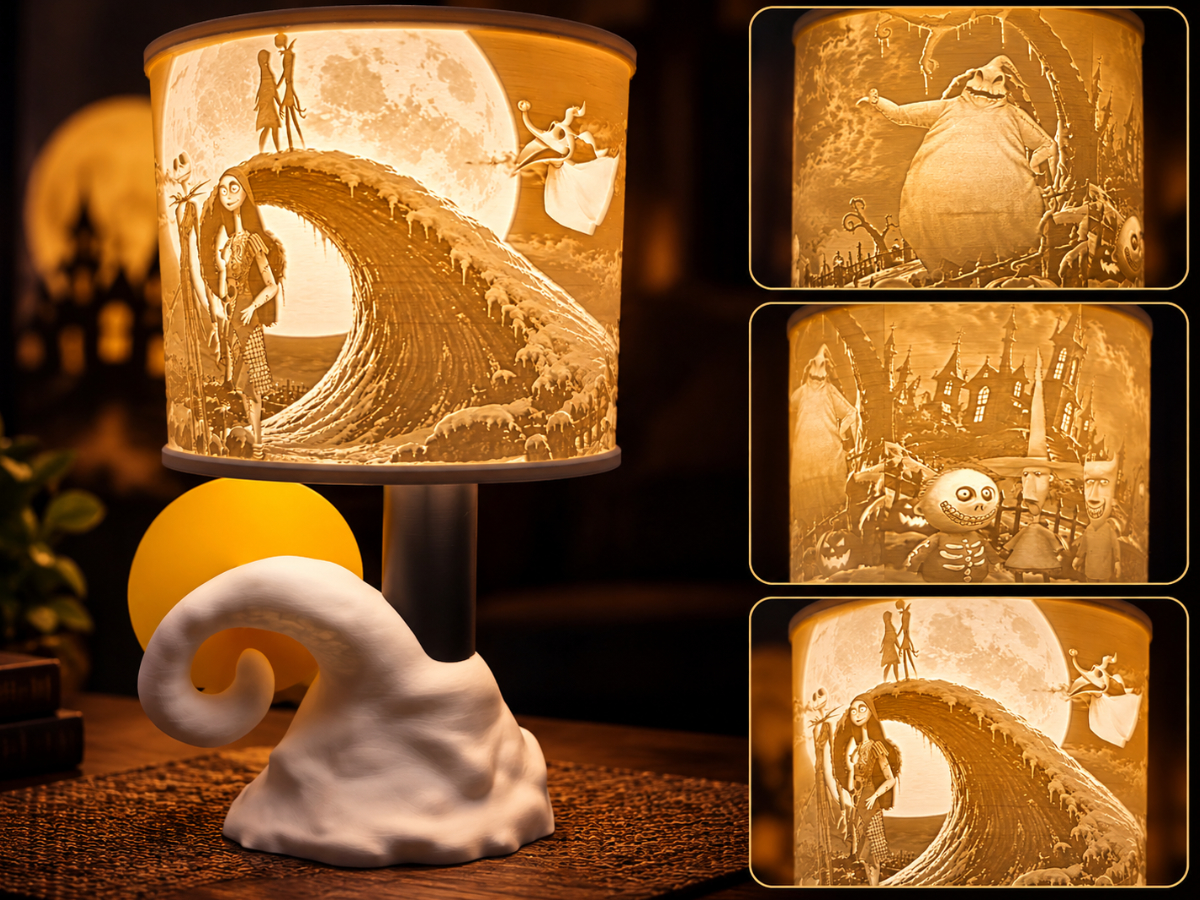
Nightmare Before Christmas Lamp Bulb or Wireless
Peso
635g
Tiempo
29h 25m
Precio
Pregunta por WhatsApp por este modelo o uno similar
Te ayudamos a conseguir este diseño o uno parecido, con precio según color y acabado
Las dimensiones dependen del diseño. Confirmamos las medidas exactas por WhatsApp.
Este diseño es de su creador en MakerWorld y se muestra solo como referencia. Tecnoprints no es dueño del modelo ni de su licencia.
Descripción
The Nightmare Before Christmas Lithophane Lamp What's this? What's this?! Bring the magic of The Nightmare Before Christmas to life with this custom 3D-printed lithophane lamp! Featuring Jack Skellington, Sally, Oogie Boogie, Lock, Shock, Barrel, Dr. Finkelstein, and Zero, this lamp showcases some of Halloween Town's most recognizable characters in a detailed, illuminated lithophane shade. The lamp sits atop the iconic spiral hill, complete with its glowing moon backdrop, creating a display that's perfect for Halloween, Christmas, or year-round decorating! The detailed lithophane artwork really comes alive when illuminated, revealing the characters and scenery throughout the shade. Before You Print: IMPORTANT! There are two lighting options available, and you do NOT need to print every plate! Option 1: Prewired Lamp Cord (Recommended) Uses a standard prewired lamp cord and LED bulb. Provides a traditional plug-in lamp setup. DO NOT print the plate labeled "Puck Adapter." The lamp is designed to accommodate the cord assembly with a snug fit. Option 2: Wireless LED Puck Light Uses the included printable puck adapter. The adapter accommodates wireless LED puck lights up to approximately 3 inches in diameter. No electrical cord is required. Check your puck light's dimensions before printing to ensure proper fit. All printed parts were designed and tested using PLA. Use LED lighting only. Avoid incandescent or other high-heat bulbs, as excessive heat can deform PLA. Assembly Instructions Assembly is straightforward once all your parts have finished printing! Step 1: Install the Moon Slide the moon into the back of the spiral hill base. It should fit into the designated opening behind the hill. Step 2: Install the Lamp Post Insert the lamp post into the top of the spiral hill base. Step 3: Install the Cord (Wired Version Only) If you're using the prewired lamp cord, install it through the lamp assembly. The cord assembly is designed to fit snugly and sit mostly flush. If you're using the wireless puck adapter, skip this step. Step 4: Install the Lithophane Shade Carefully position the completed lithophane shade onto the lamp post. Step 5: Add Your Light Source Wired version: Install your compatible low-heat LED bulb. Wireless version: Install the printed puck adapter after the shade is in place, then add your compatible wireless LED puck light. That's it! Turn on your light and watch Halloween Town come alive! Recommended Lamp Cord Amazon link for the prewired lamp cord used with this design: Pre Wired Cord For the best results, use the linked cord assembly or verify the dimensions of any alternative before assembly. Special Thanks! I want to give a HUGE shout-out to one of my Patreon supporters, RosieBear, for taking the time to test print this lamp and share the incredible finished results! RosieBear, YOU ROCK!!! 🤘 Having people willing to spend their time, filament, and effort testing these creations means more than you know. Thank you! Thank You for Supporting Nightmare 3D! As always, I want to thank every single person who downloads my models, posts pictures of their finished prints, leaves comments, and supports my work. Seriously, without you guys, I probably would've stopped doing this a long time ago. Seeing your finished prints and hearing what you think is what keeps me designing and sharing new creations. If you print this lamp, please share a photo of your finished project! I absolutely love seeing how these turn out. Thanks again for all the incredible support. YOU ALL ROCK!!! Nightmare 3D
Tags
Diseñador
Nightmare 3D