
Overengineered Joystick Fidget (Print in Place)
Peso
23g
Tiempo
57m
Precio
Pregunta por WhatsApp por este modelo o uno similar
Te ayudamos a conseguir este diseño o uno parecido, con precio según color y acabado
Las dimensiones dependen del diseño. Confirmamos las medidas exactas por WhatsApp.
Este diseño es de su creador en MakerWorld y se muestra solo como referencia. Tecnoprints no es dueño del modelo ni de su licencia.
Descripción
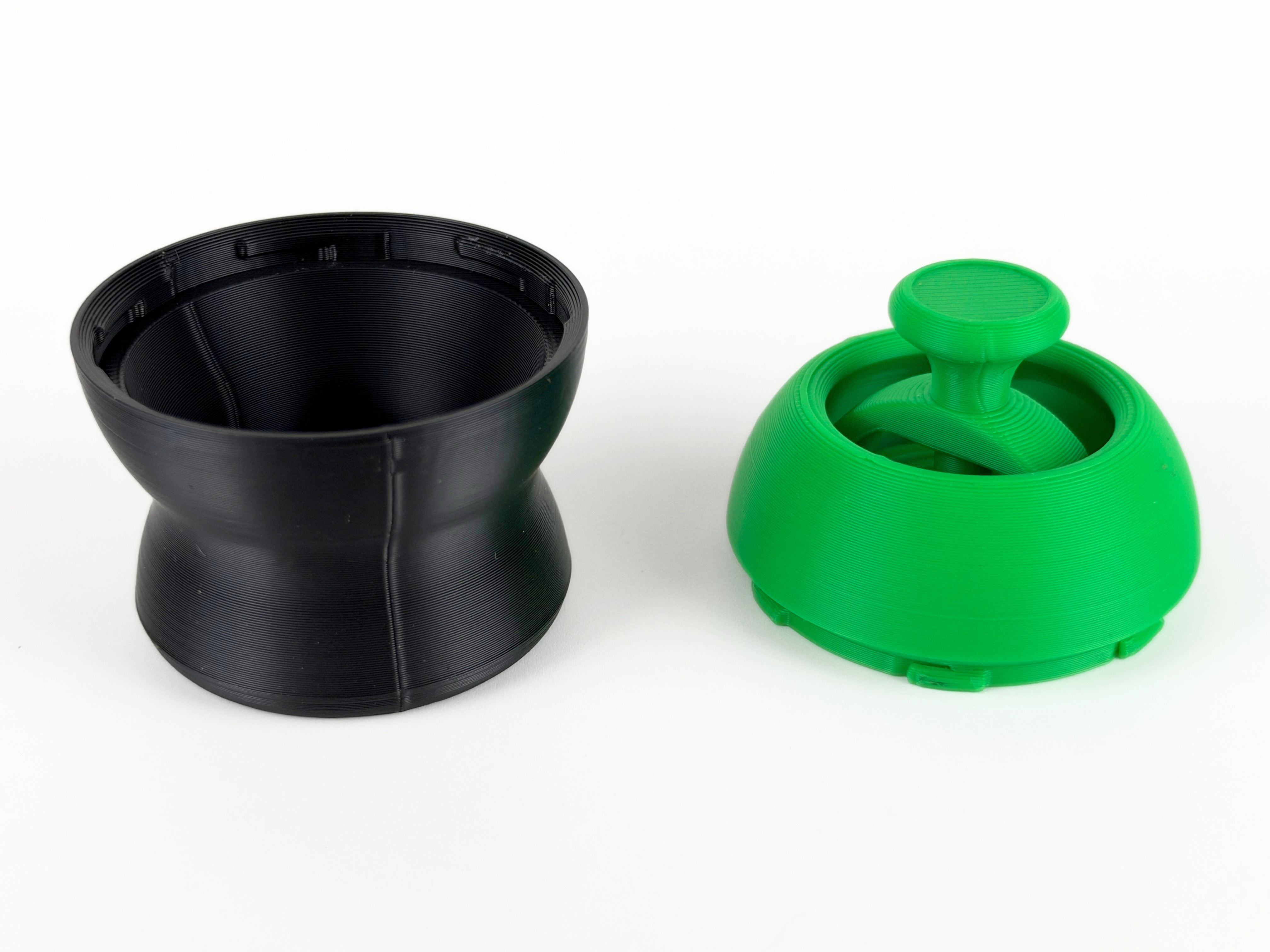
This Overengineered Joystick Fidget is a fully functional joystick that tilts in every direction and buzzes back into the center the moment you let go. Pushing the knob in any direction pivots the stem on a gimbal-style joint and winds up a torsion spring, and when you release it, the spring snaps the stick back upright with a satisfying buzz as it settles. Every part of the mechanism was carefully prototyped to get a smooth pivot with a firm, consistent return from any angle. It prints in 2 parts that join with a super easy 6 tabbed twist lock that snaps into place, so the dome and joystick print as one print-in-place piece and the base locks onto it in seconds. A ribbed top on the mushroom knob gives your thumb a solid grip, and the rounded dome sits on an hourglass-shaped base that fits comfortably in your palm, especially with a color change between the two. The Overengineered Joystick Fidget is the perfect print for anyone who loves complex mechanisms. Boost MeIf you like this model, please consider boosting it! It helps out a ton :)MembershipWant to sell my 3D printed fidget toys? Become part of my Commercial License Membership program!Printing Instructions: Prepare the Print BedClean the print bed thoroughly with isopropyl alcohol to ensure proper adhesion. Additional adhesive for the print bed is highly recommended! I suggest using 3D-Lac spray or a glue stick. Download the Print ProfileSend the pre-configured print profile to your Bambu Lab printer through the Bambu Handy app or Download and open the pre-configured print profile in Bambu Studio. Select Your Printing OptionsChoose your filament type and color. Select your print bed type (e.g., textured or smooth). Confirm your printer settings, ideally for a Bambu Lab printer. Start PrintingBegin the print job. No supports are necessary.
Tags
Diseñador
AbyssalCactus