
Triple Kinetic Fidget
Peso
59g
Tiempo
2h 48m
Precio
Cotiza este producto por WhatsApp
Contáctanos y te damos el precio según color y acabado
Las dimensiones dependen del diseño. Confirmamos las medidas exactas por WhatsApp.
Descripción
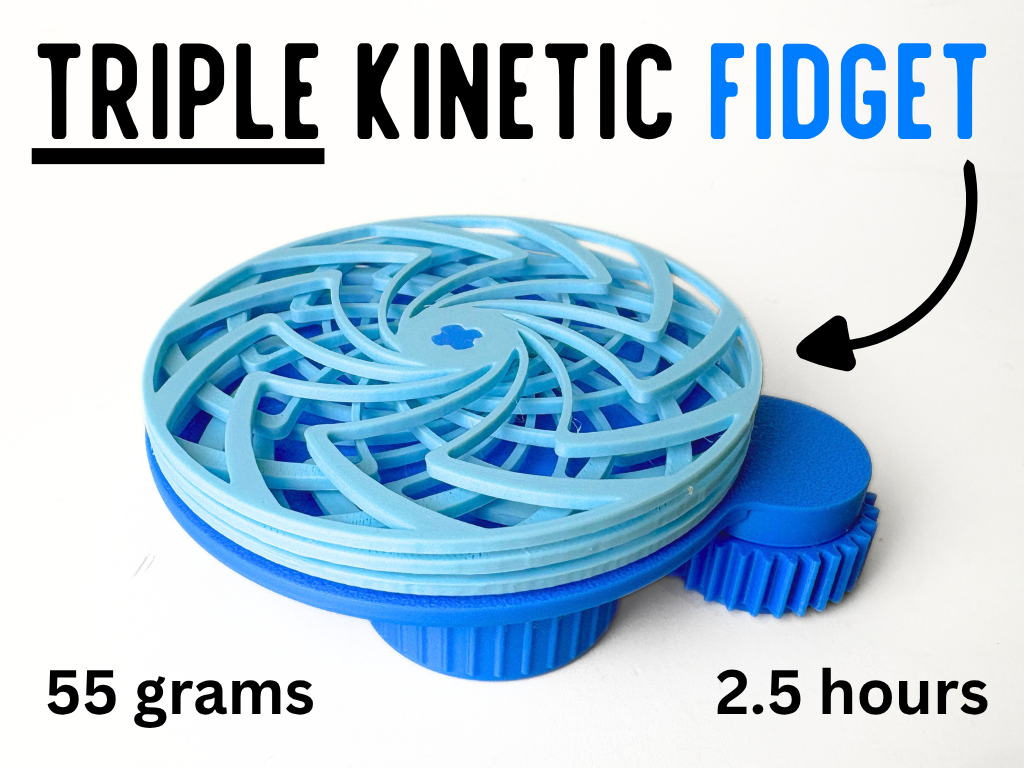
ASSEMBLY VIDEO: The Triple Kinetic Fidget combines three rotating layers into one mesmerizing print-in-place mechanism. Turn the textured side wheel and watch as the connected gear system brings the entire design to life. Carefully selected gear ratios make each layer spin at a different speed, creating a constantly changing pattern that looks different with every rotation. The overlapping curved openings produce an almost hypnotic visual effect, while the exposed gears let you watch the mechanical system working underneath. Every clearance was carefully tuned to keep the gears moving smoothly without feeling too loose or easily coming apart. The model is fully print-in-place, coming off the build plate ready to use with no assembly or supports required. Taking approximately 2.5 hours to print and using just 55 grams of filament, the Triple Kinetic Fidget is perfect for anyone who enjoys moving gears, satisfying patterns, and unique mechanical fidgets. Boost Me (for free) Boost MeIf you like this model, please consider boosting it! It helps out a ton :)Printing Instructions Open the Print Profile Download and open the included print profile in Bambu Studio, or send it directly to your printer through the Bambu Handy app. Prepare and Check Everything Select the correct printer, build plate, filament type, and colours. Clean the plate before printing: Textured PEI Plate: Wash it with warm water and dish soap, rinse thoroughly, and dry it with a clean, lint-free cloth. Cool Plate: Wipe it with isopropyl alcohol and a clean, lint-free cloth. Let it dry completely before printing. Avoid touching the printing surface after cleaning it. Start Printing Review the settings, slice the model if needed, and send it to your printer. For the best results, use the provided print profile without changing the recommended settings.
Tags
Diseñador
LayeredKingdom