
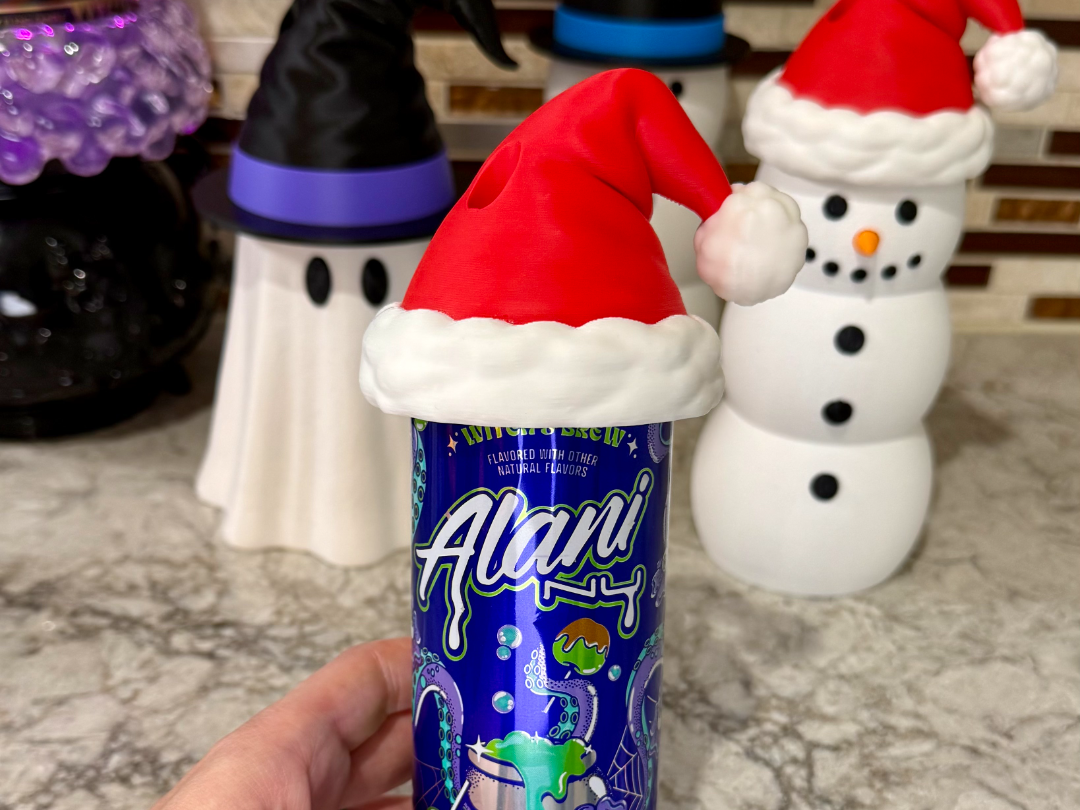
Santa Hat Can Topper
Peso
319g
Tiempo
11h 23m
Precio
Cotiza este producto por WhatsApp
Contáctanos y te damos el precio según color y acabado
Las dimensiones dependen del diseño. Confirmamos las medidas exactas por WhatsApp.
Descripción
MembershipWant to sell the prints made from this file, subscribe on MakerWorld and sell prints while subscribed! You can also purchase on my website (one-time fee) and it includes a commercial use license to sell prints.Boost MeIf you love this file, please consider rating and boosting!Santa Hat Can Topper This design is made to work with my can holders or to be used alone. The hat sits on the can, NOT the can holder. This is a friction fit. You will have to push the hat down on the can with a bit of force. It is not made to come on and off of the can while drinking. It is made to come off of the can once empty. Grab the can and the hat, then twist opposite directions to easily get the hat off of the can. 3 Sizes: 12oz Slim - 8.4oz Alani - 7.5oz Mini — This hat will fit all 3 can sizes. 12oz Standard - 16oz — This hat has been tested on Monster cans and regular soda cans. 8.4oz Slim — This has been tested with 8.4oz slim Red Bull cans. This will NOT fit 8.4oz Alani cans. The hats have been tested with Bloom, Red Bull, Alani, Celsius, and multiple sodas. I do not know if it will fit any other specific cans. I suggest Googling the can size you are using and comparing it to the ones that I have tested to see if the dimensions are the same. 3 Print Options: Full Print - Takes much longer and purge volume needs to be maxed so the red does not mix in with the white. Separate Ball - This prints the hat together and the ball separate. SImply glue the ball on the hat. Separate Parts - All parts print separate. Simply glue the parts together. Make sure that the ball is glued on correctly. The orientation on the plate is exactly how it needs to be glued on the hat. All parts will line up properly. Remove all supports before trying to assemble. Support Settings Notes: I have provided support settings in the 3MF that have consistently worked for me on my Bambu Lab printers (H2C and P2S). If you are having any issues with supports failing, you will need to adjust the supports to what works best with your printer. The Top Z Distance is set to .20 – If the ball gets knocked off of the supports, I recommend lowering the Top Z Distance to .18 Just a friendly reminder that I have extensively tested this design and have printed around 50 of these hats before releasing the files to the public. (I print and sell my designs and continue to print this design with the exact same print profile.) I have tested this print profile on all of my printers. If you are having issues with failed supports, adhesion, filament mixing, etc. — you will need to make sure that your printer and filament are properly calibrated.
Tags
Diseñador
The Makers Edit