
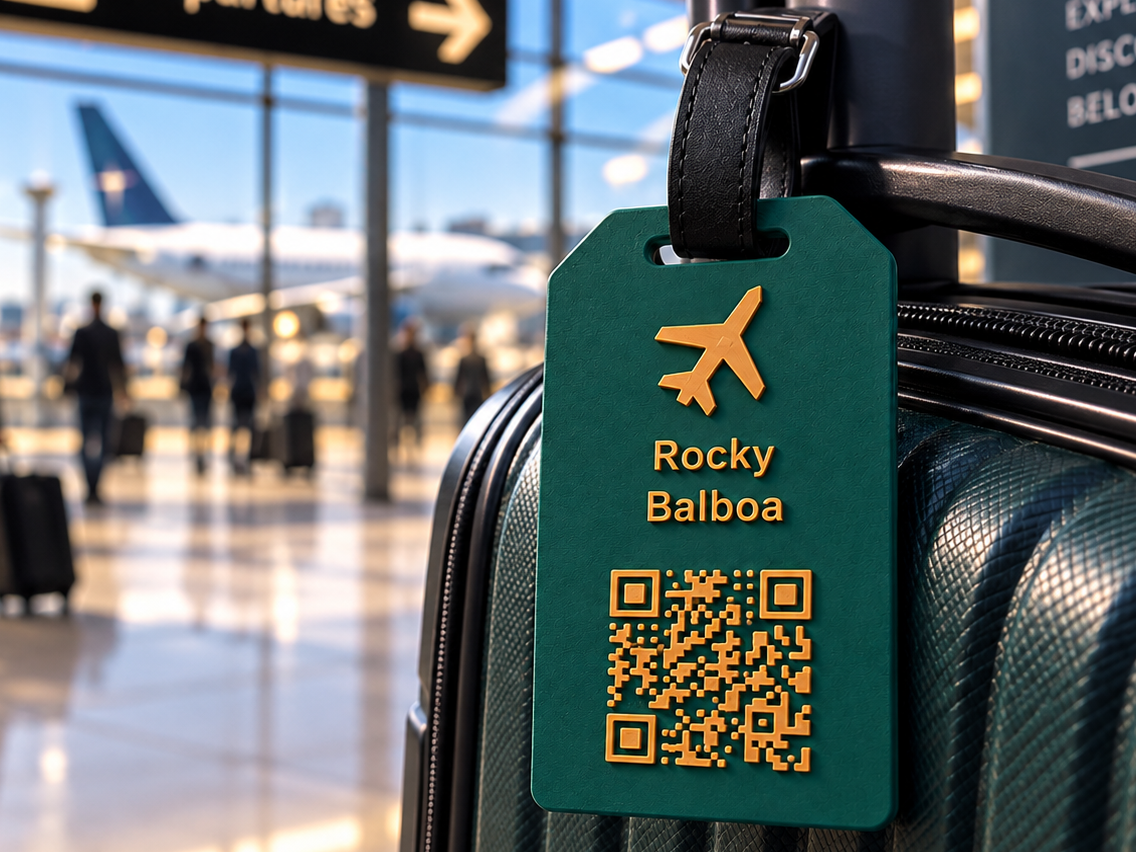
Customizable Travel Tag with QR Code and NFC
Peso
19g
Tiempo
35m
Precio
Cotiza este producto por WhatsApp
Contáctanos y te damos el precio según color y acabado
Las dimensiones dependen del diseño. Confirmamos las medidas exactas por WhatsApp.
Descripción
Create a personalized luggage tag with your name, contact details, favorite travel icon, and a QR code or embedded NFC chip. Choose a portrait or landscape layout and customize the design directly in MakerWorld’s Parametric Model Maker. Features Up to 9 text lines, with individual size and position controls. Adjustable text alignment: left, center, or right. Travel icons: airplane, globe, mountains, heart, beach, paw, smile, nature, compass, suitcase, star, and anchor. Personalized initial or phrase, with a separate phrase-size control. Custom SVG upload for your own artwork or logo. QR, NFC, both, or neither. Adjustable dimensions, thicknesses, and colors. Optional QR background panel. The default design combines a dark green tag with cream lettering and details. QR Code Options Create a QR code containing text, a website link, or contact actions for WhatsApp, Telegram, email, SMS, and phone calls. Use contrasting colors and test the finished QR code with your phone. The default cream-on-green design is an inverted QR code, which some readers may not recognize. NFC Options Designed around a 25 mm round NFC chip, with adjustable diameter, thickness, and clearance. Choose between: Embedded NFC: pause the print, insert the chip, and resume printing to seal it inside. Separate lid: print the lid separately, insert the chip, and glue the lid into place. A physical NFC chip is required and must be programmed separately. Important: Embedded NFC Print Pause The model calculates a suggested pause layer based on your settings, but you must add the pause in your slicer. The SCAD/STL file does not automatically pause the printer. With the default settings—0.20 mm layers, a 0.20 mm first layer, and a 0.80 mm thick NFC chip—the indicated pause is after layer 9, before layer 10 begins covering the cavity. Measure your chip, match the layer settings, and confirm the closing layer in the slicer preview before printing. Keep supports out of the NFC cavity. Getting Started Open the model in the Customizer. Choose your orientation and icon. Enter your text and adjust its placement. Select QR, NFC, or both. Set your dimensions and colors. Export, check the slicer preview, and print! The source has been validated in OpenSCAD. Physical fit, QR readability, and NFC operation should be tested with your chosen printer, materials, and chip.
Tags
Diseñador
Clube das ferramentas