
Customizable Parametric Business Card Generator
Peso
7g
Tiempo
16m
Precio
Cotiza este producto por WhatsApp
Contáctanos y te damos el precio según color y acabado
Las dimensiones dependen del diseño. Confirmamos las medidas exactas por WhatsApp.
Descripción
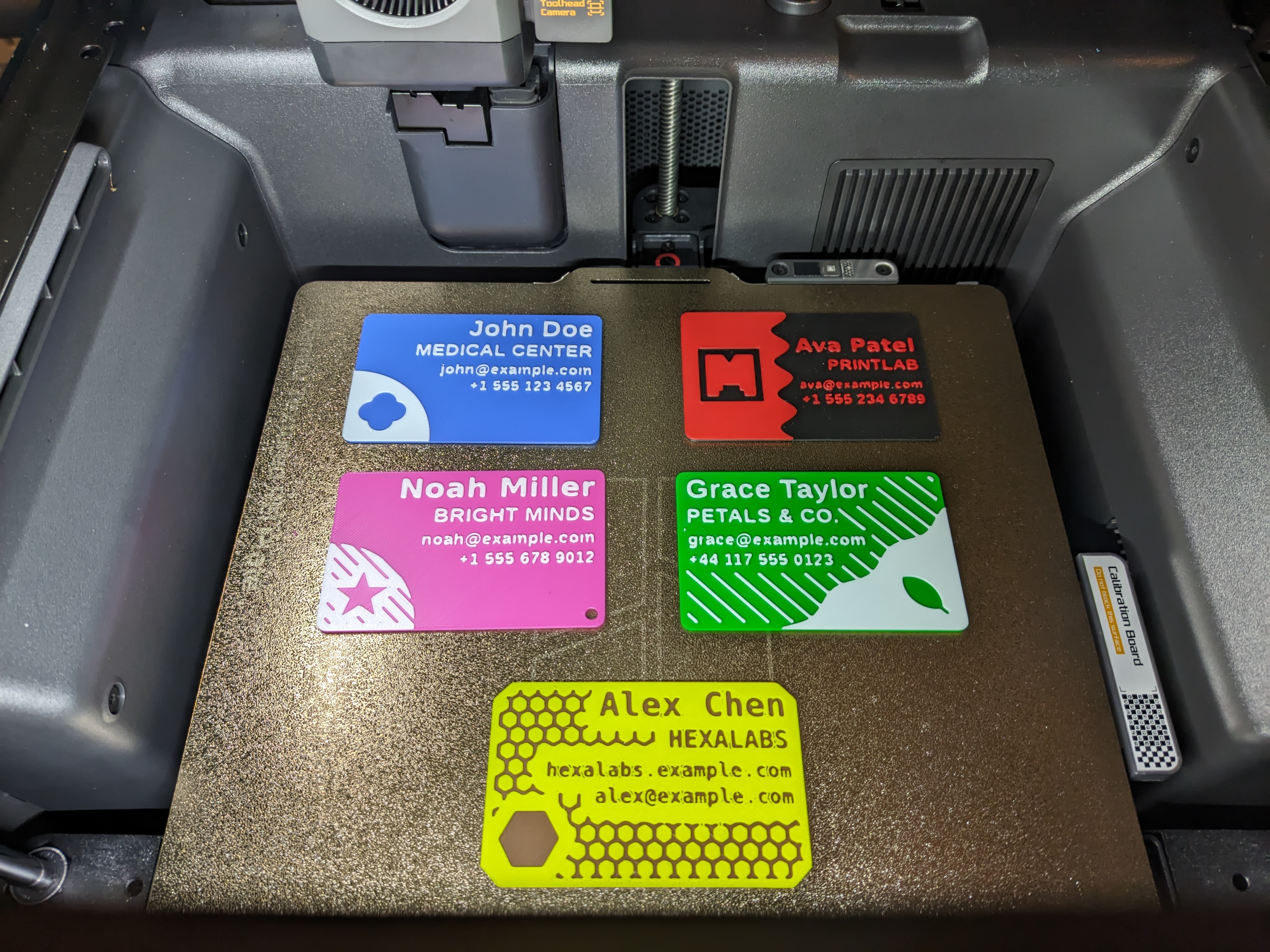
With this OpenSCAD 3D model you can easily create and customize your own two-color business card by simply clicking the "Customize" button on this page (only available for desktop and mobile browsers). No AMS is needed: a single filament change at the right layer gives you a crisp two-tone card. You can change the following parameters: Card size: Europe 85 x 55 mm, USA 3.5 x 2 in, ISO credit card, Japan, China, Australia or custom Corners: rounded or cut, with adjustable size Four text lines: your name, your company or studio, and two free lines for e-mail, website or phone Background and relief colors Logo: 21 built-in shapes (clover, medical cross, ring, star, heart, hexagon, shield, diamond, leaf, gear, house, drop, lightning bolt, wrench, scissors, fork and knife, coffee cup, dumbbell, paw print, camera, 3D printer), your own SVG, or none Background style: quarter circle, diagonal cut, wave cut, plain dark card or plain light card, with the light area on the left or on the right Optional keyring hole in any corner (a keyring is listed under "Bill of Materials") Optional texture: dots, diagonal lines, grid or honeycomb Advanced tabs: font sizes and fonts, text positions, logo size and position, exact geometry of the arc, cut and wave, texture pitch and size, thicknesses and export of the two parts ...and much more! The first five tabs are all you need for a finished card; the Advanced tabs hold values that are already tuned, for those who want to fine-tune. Special characters are not supported by the MakerWorld customizer. Do not scale this model in the slicer. *** Text size: PLEASE READ *** The default font sizes have been tested for a 0.4 mm nozzle, and all the examples in the gallery were printed with a 0.4 mm nozzle. The result still depends on your printer: maintenance, filament calibration and slicer settings all play a part. If the letters come out poorly, increase the font size; how well a text prints also depends heavily on the font itself, and bold sans-serif fonts print best. Small text requires a 0.2 mm nozzle. I recommend Arachne as wall generator. For a perfect business card I also recommend ironing the top surface; the right ironing values depend on the filament you use. *** How to print multi-color *** If you DON'T HAVE the AMS, configure Bambu Studio to pause the print at the exact right moment: immediately after the background has finished and just as the relief is about to start. This lets you switch filament and achieve the two-tone effect. Here's how to add the pause: Right-click the green button with the white plus sign in the slicer interface. Select "Add Pause" (or "Change Filament"). Choose the first layer above the Background thickness (default 1.0 mm, so with 0.2 mm layers the change happens at the 6th layer). Keep Background thickness and Relief height as multiples of your layer height for a clean color change. A relief of 0.4 to 0.8 mm (2 to 4 layers) hides the base color completely. If you HAVE the AMS, the generated 3MF already carries both colors: map them to two filament slots and print. If you want greater color control over each individual part, generate the model twice with Export part set to "Background only" and "Relief only", then import/merge the two files in Bambu Studio. Make sure to answer "Yes" to the question "Load these files as a single object with multiple parts?". You will find the parts already positioned and you can decide what color to give to the background and to the relief.
Tags
Diseñador
SnaKKo