
WonderTop for xTool WonderPress
Peso
301g
Tiempo
5h 59m
Precio
Cotiza este producto por WhatsApp
Contáctanos y te damos el precio según color y acabado
Las dimensiones dependen del diseño. Confirmamos las medidas exactas por WhatsApp.
Descripción
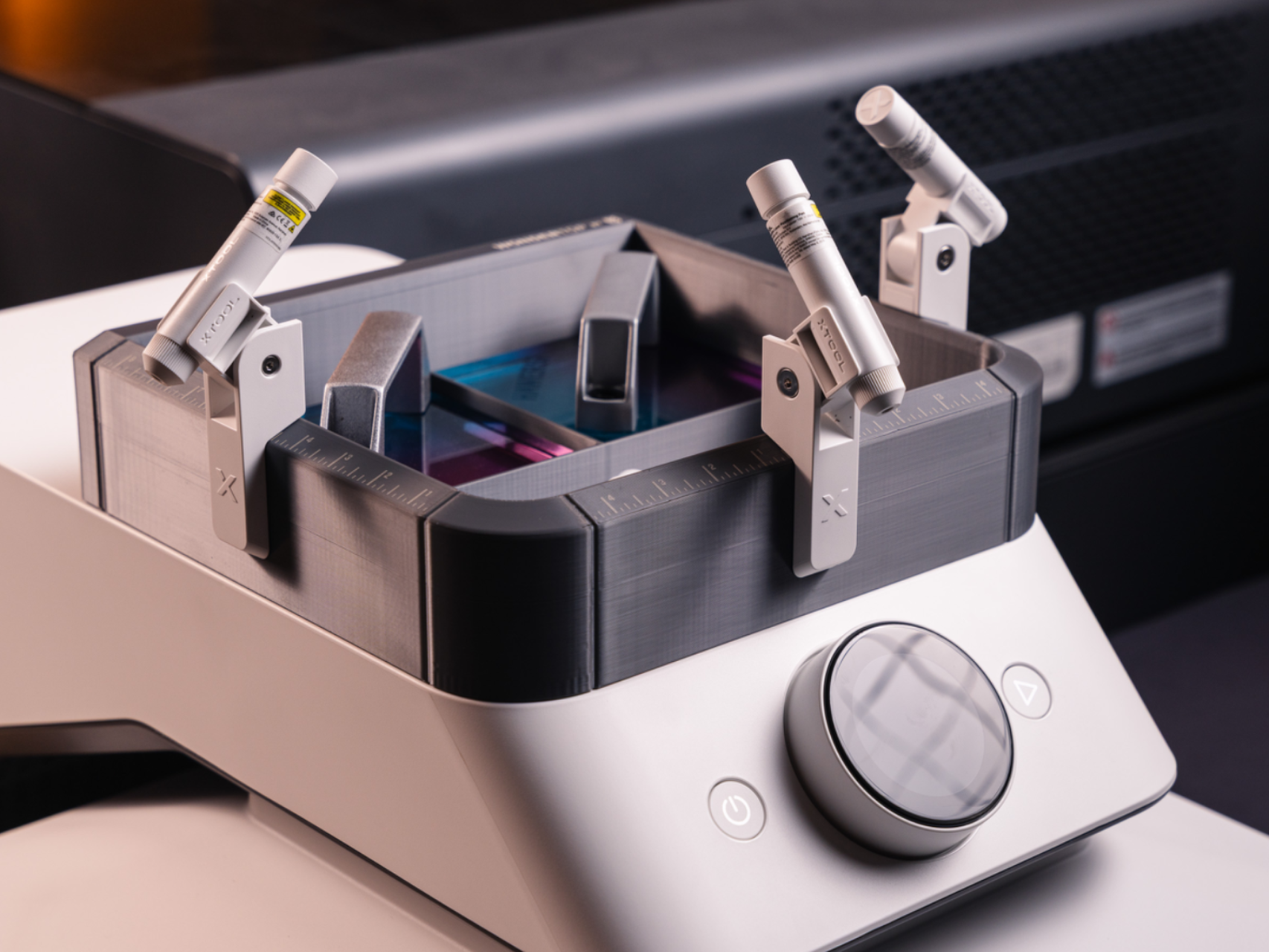
This is the WonderTop. It's a simple bin that sits on top of your xTool Wonderpress with some double-sided tape. But if you put thin metal sheets into the print (there are slots in the print designed for this), you can place your xtool magnetic laser guides on it for better placement. They will be able to angle more downwards, be out of your way, and you can stick them on the sides for those who have the dual station option. If you just print this file, all you will get is a bin that fits nicely on top of your machine. Download the zip file for instructions and other files needed to complete this project as it was intended. You will need to buy specific sheets of metal (specific thickness and must be attracted to magnets) and cut them to size with some metal cutting shears. You'll have to pause the print at a certain spot and insert the 3 cut metal sheets into the slots before completing the print. I made this for me because I think the dual station and laser guides were a complete afterthought from xTool and just weren't designed well. This project doesn't make things perfect, but it is a HUGE improvement over what xTool expects you to use. I figured others might find it useful too so I decided to share it. This is my first upload to MakerWorld! I've been 3D modeling for years as a graphic artist, but fairly new to modeling for 3D prints. I do my 3D modeling for graphic visuals in Cinema 4D and for 3D prints, I use Plasticity. I am still pretty new to 3D printing and still have tons to learn.
Tags
Diseñador
Mark Jardine