
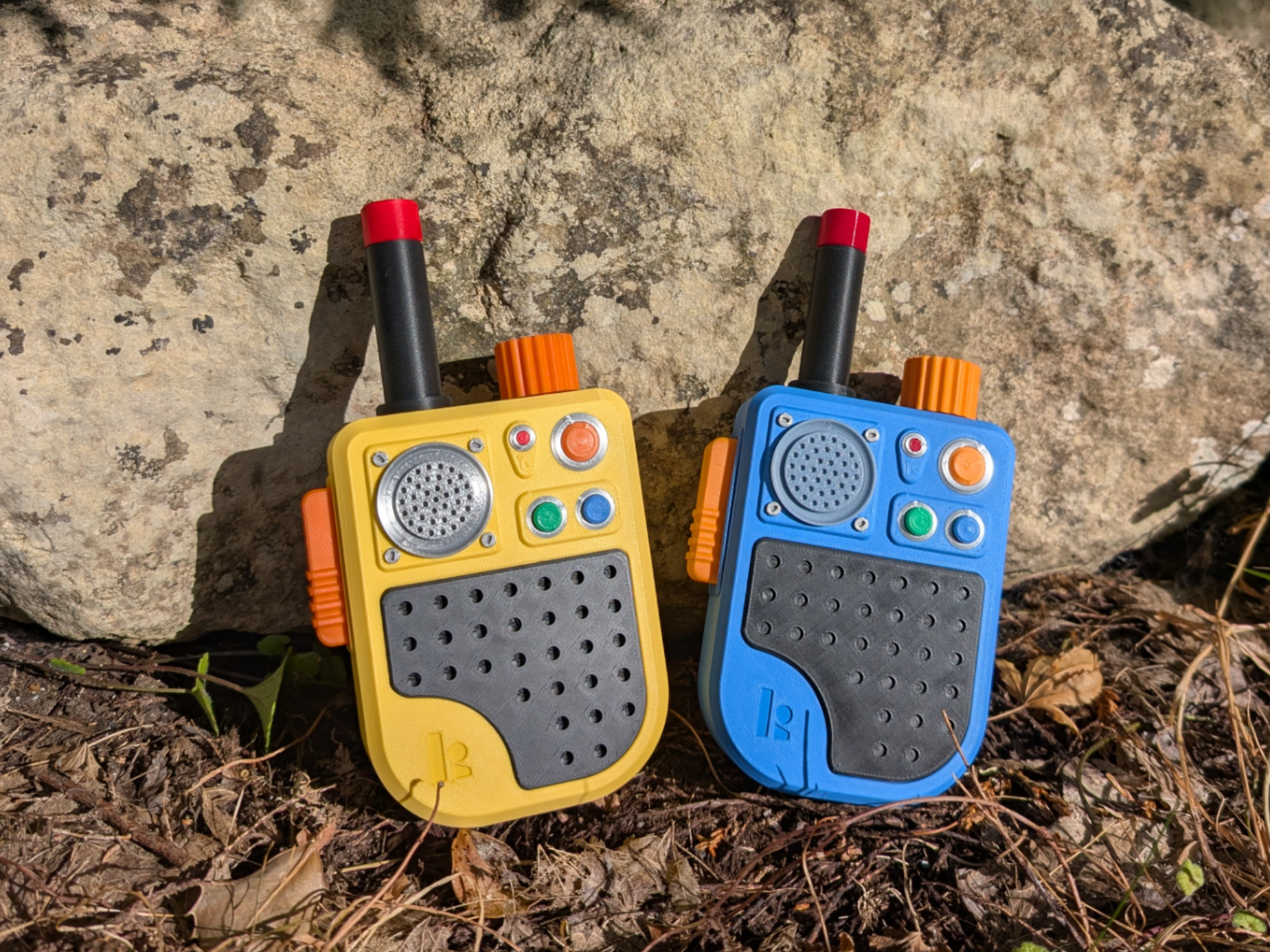
Fidget Walkie Talkies from Big Walk
Peso
146g
Tiempo
4h 43m
Precio
Cotiza este producto por WhatsApp
Contáctanos y te damos el precio según color y acabado
Las dimensiones dependen del diseño. Confirmamos las medidas exactas por WhatsApp.
Descripción
If you've played Big Walk then you'll know exactly what these are! If you haven't then this is a cool fidget toy walkie-talkie with springy buttons and clicky knobs to rotate. This model uses 100% 3D printed parts, no screws, glue or other parts needed. No AMS required - the print profile is split into colours per plate. Fidgety features include: Springy Push To Talk button Push buttons Rotating knob Ratchet knob with loud click Removable antenna Printing Plates are labeled with suggested colours Manual supports are enabled where required Springs are printed with PLA. They seem to work well, but easily replaced if they start to age with time. PETG could also be used, although I haven't tested this. Springs can be printed in any colour (e.g as purge items on other prints) since they are hidden. Assembly Remove supports from main body. Ensure no remnants of support interface remain (they'll look like squiggly bits) as they may interfere when adding the trim piece. Insert 2 or 3 large springs depending on how springy you want it (different filaments will be stronger/weaker) Add PTT button and test for springy-ness (add/remove/try different filament) Once happy, add trim piece around PTT button. It should click into place and sit slightly proud of the main body. Click in the 4 screws around the microphone piece (grey/silver). If they are tight you can insert them part way then flip over and carefully push them in against a hard surface. You should hear a click. Then add the microphone Insert the 2 small springs into the deeper holes. Insert the blue, green, red and orange buttons/lights into their corresponding silver rings from the underside. Push them all into place in the main body Insert the ratchet piece into the main body. At the point shown you can apply a bit of pressure and it should click into place. Add the orange knob. Be careful with this piece, gently insert it as far as it will go, ensure it is straight before pushing down. You should hear a click. Gently rotate anti-clockwise to activate the 3 small arms. Add the red tip to the top of the antenna. Again, make sure it's on straight before applying pressure to click into place. Screw antenna into body. Add the backplate and 4 screws (again you can push against a hard surface if needed) Please enjoy your new walkie-talkie fidget toy - over! Boost MeIf you've enjoyed this model then please consider leaving a boost which will help towards what is coming next on a similar theme!
Tags
Diseñador
N33 Designs