
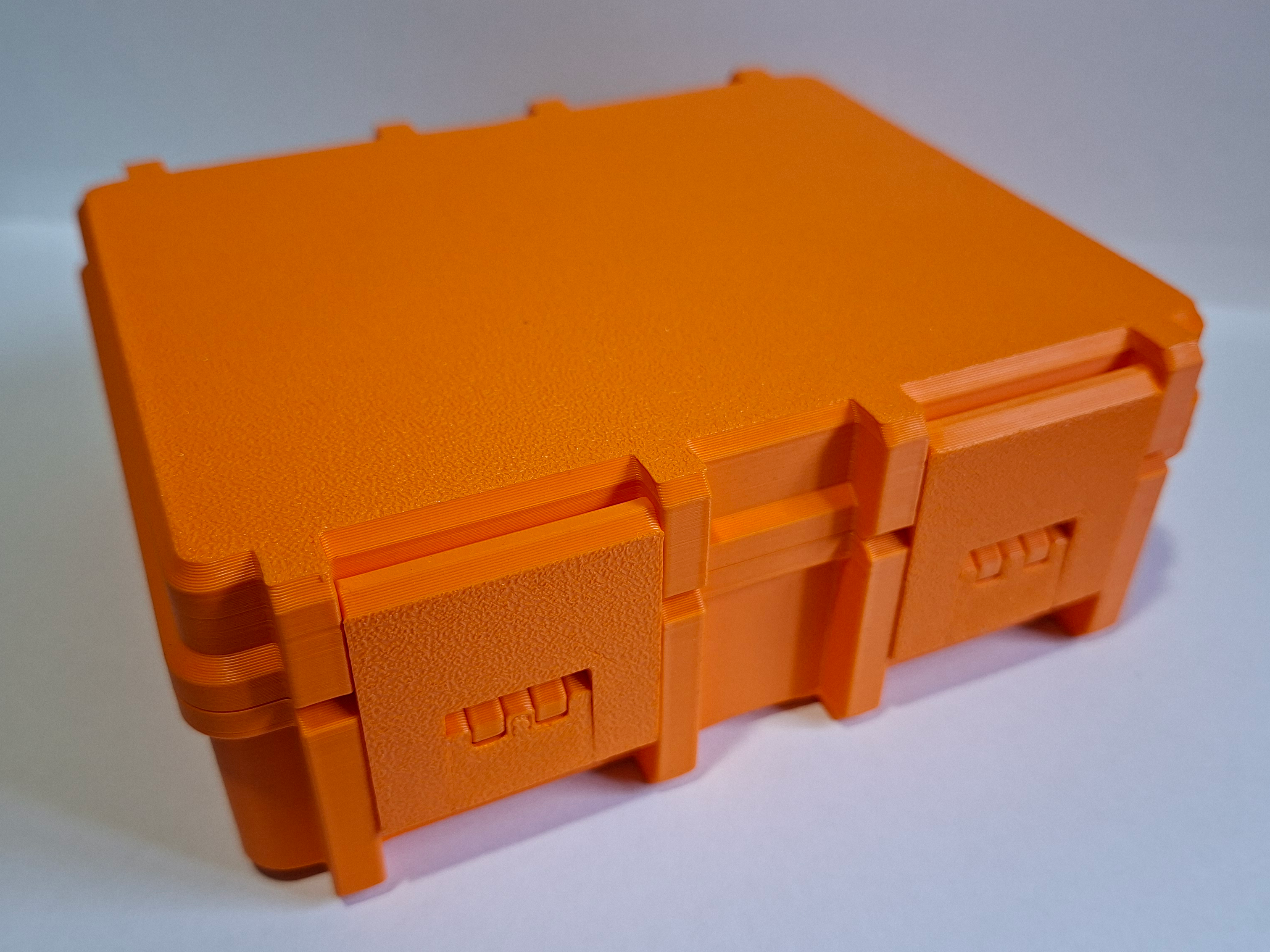
Parametric Rugged Storage Box V2
Peso
245g
Tiempo
7h 50m
Precio
Cotiza este producto por WhatsApp
Contáctanos y te damos el precio según color y acabado
Las dimensiones dependen del diseño. Confirmamos las medidas exactas por WhatsApp.
Descripción
Boost MeEnjoyed my design? Consider boosting it so I can continue to build more models for the community!Updated Version with new two-hinge locks! This design doesn't need to use friction to lock the top! Easily generate the exact storage box you need. This design is fully parametric and strictly 3D printed, no extra hardware required. The lid is completely detached from the base and locks down securely using 4 print-in-place clips. Included Print Profiles If you want to print right away without customizing, I've included pre-configured profiles: 130 x 100 mm base: Total height 40mm or 65mm 150 x 100 mm base: Total height 40mm or 65mm 150 x 120 mm base: Total height 40mm or 65mm 170 x 100 mm base: Total height 40mm or 65mm 170 x 120 mm base: Total height 40mm or 65mm These profiles include the lid, common for a specific size and 4 height options. You will only need to print one along with the lid. The total used filament will, therefore, be a lot smaller than what the description states. How to Customize Just click the green Customize button to begin, select the parameters that best suit your application and download the file! Keep in mind that all measurements are in millimeters (mm). The most important measurements will be the internal lenght and width of the box and then the height for both bottom and top parts. The total height will correspond to the sum of both partial heights! The top part comes with builtin supports that are easy to remove! ⚠️ Note: When creating custom sizes, you must pay attention to the design limits, to avoid generating deffective boxes! How to Print After customizing the model you just need to import it to Bambu Studio or any other slicer. Right click the model and then click Split > To Objects. After this you only need to press de Auto Orient and the Arrange All objects option (3rd and 4th icons in the top tray of Bambu Studio). If you are printing the TPU ring don't forget to change its material type! How to Assemble This design needs some assembly due to its more complex shape. The only material needed is the filament itself. Simply asemble the pieces as shown in the 3D model, cut some pieces of filament and insert them into the respective holes. The hinge that attaches to the bottom part of the box can be difficult to insert in one piece. Alternatively you can use two pieces of filament and insert them through both sides. The TPU ring is optional, and only needs to be inserted in place, without glue! Make It Your Own Personalize it: Use your slicer's text tool to easily add names, labels, or logos to the lid. Custom Interiors: The simple internal geometry makes it very easy to design your own custom inserts, tool holders, or grid dividers. If you design a cool insert or print a personalized box, post your makes! I'd love to see what you use these for. All feedback is welcome! I am still testing customization embeded into MakerWorld and doing some adjustments on the hinge mechanism. Variation between printers can affect how easy or difficult it is to open and close the box.
Tags
Diseñador
Paulo Fernandes